• Pricing
Send a Fax

Product

Receive Faxes
International Fax
Fax From Home
Fax From a Computer
Fax From Your Phone
Fax Cover Sheet

Solutions

Fax for Healthcare
Fax for Legal Professionals
Fax for Real Estate
Fax for Finance

Security

HIPAA Fax
Fax Security

Resources

How to Fax
Privacy and Cookie Policy
Terms of Service
Pricing

1847 legal faxes sent in the last hour

Secure Online Faxing for Legal Professionals

Send contracts, filings, notices and other legal documents directly to fax numbers from your browser or phone.

Faxer is a legal fax service for lawyers, legal professionals and law firms that need to send documents without relying on an office fax machine or dedicated phone line.

  • Delivery confirmation for every fax
  • Fax history available from your account
  • Send from web or mobile

What Users Say

“I had to send a signed legal document to another law office that afternoon. Finding a working fax machine would have taken longer than actually sending it with Faxer.”
“Our office occasionally needs to fax signed agreements and supporting documents to other attorneys. I like being able to review the pages before sending, especially when there are several attachments. It's a practical option for those situations where email isn't accepted.”
“I was working from home when I needed to fax some paperwork to an attorney. I didn't want to drive all the way to the office just to send a few pages. This was a much simpler solution, and I could take care of it from my phone.”
Send your first fax
256-bit SSL
1. Upload2. Recipient3. Send
Documents
Drag your file here or click to browse
Up to 10 files · 25 MB each · document or cover page required
PDFDOCDOCXJPGPNGXLSPPT+ 20 more
Files auto-deleted after 24h · Takes under a minute
  • 850,000+Active users
  • 3.8M+Documents sent
  • 1.2M+Documents received
  • 40+ countriesInternational faxing
  • 99.99% uptime24/7 monitored

Why law firms choose Faxer

Legal work often involves documents that need to reach a client, court, agency, insurer or another organization through the channel they specify.

When that channel is fax, Faxer lets you use the digital document you already have instead of printing it just to send it through a fax machine.

Upload the file, add the destination fax number and send it online. Once the transmission is complete, you can check its delivery status and keep a record of previous sends in your fax history.

For professionals who need fax for lawyers without adding more hardware to the office, Faxer keeps the workflow on the devices they already use.

  • Send documents without printing

    Keep contracts, forms and correspondence digital instead of printing documents solely for faxing.

  • Check delivery status

    See the status of each transmission so you know whether the fax was successfully delivered.

  • Access your fax history

    Review previous transmissions and their status from your Faxer account.

Legal documents you can send with Faxer

When a recipient asks you to send legal documents by fax, you can upload the file directly to Faxer and send it to the fax number they provide.

  • Contracts and agreements

    Fax contracts, agreements, amendments and other documents to clients, counterparties or organizations that request them by fax.

  • Court forms and filings

    Send court forms or filing documents when the relevant court or office provides a fax number and accepts documents through that channel.

  • Legal notices and correspondence

    Send notices, letters and other legal correspondence directly to the recipient’s fax number.

  • Signed documents and authorizations

    Fax signed forms, authorizations and supporting documents without printing and rescanning them first.

  • Case documents and supporting records

    Send documents related to a matter or case when another party, organization or professional asks to receive them by fax.

  • Administrative documents

    Handle forms and other administrative paperwork used in the day-to-day work of a law firm or legal department.

How to send a legal fax online

Sending a legal fax with Faxer takes three steps.

  1. 01

    Upload your document

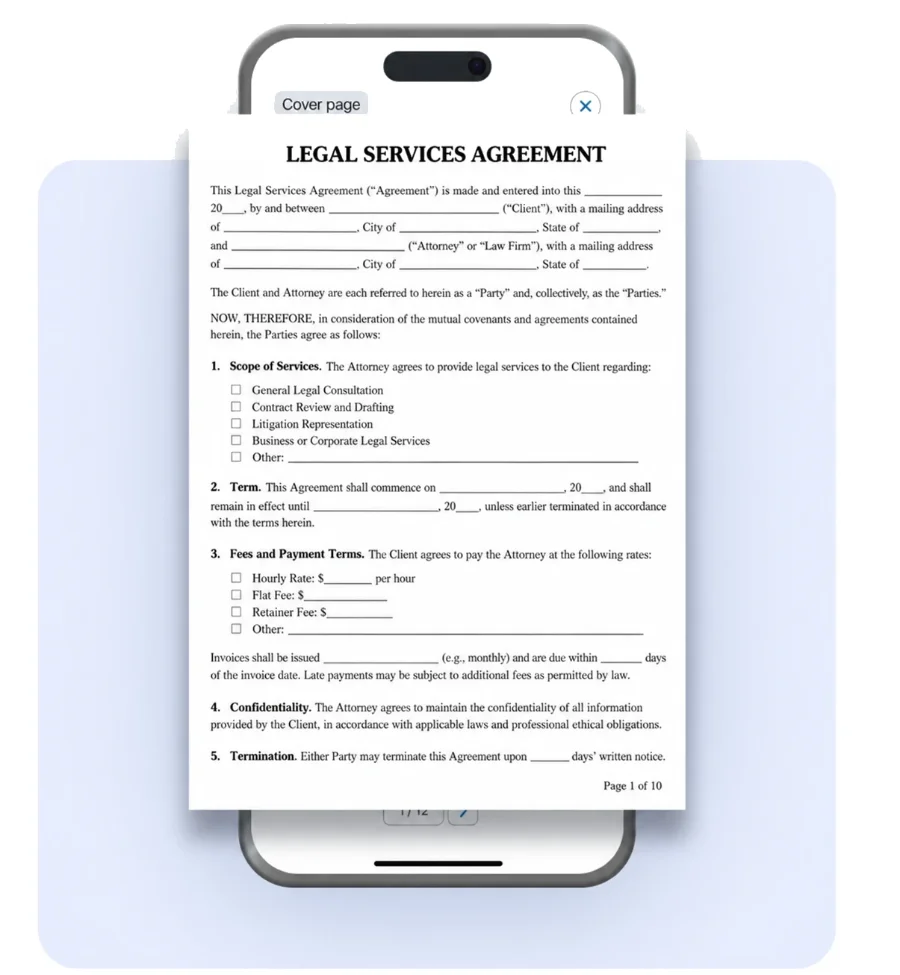
    Upload the PDF, Word file, image or other supported document you need to send. You can also add a cover page when needed.

  2. 02

    Enter the recipient’s fax number

    Add the fax number supplied by the court, client, agency, insurer, law firm or other recipient.

    For sensitive or time-sensitive documents, check the fax number carefully before sending.

  3. 03

    Send and check delivery

    Send the fax and follow its delivery status from your Faxer account. Your fax history also lets you return to previous transmissions when needed.

How to send a fax online

Send and track legal faxes online

Legal documents can be time-sensitive. Once a file has been sent, knowing its transmission status helps you decide whether any follow-up is needed.

Faxer provides a delivery status for each fax. Your account also keeps a history of previous transmissions so you can review what was sent and its status.

This gives legal professionals a clearer digital workflow than sending a document through a standalone machine and leaving the transmission disconnected from the rest of their work.

Secure online fax for law firms of any size

Different legal practices use fax in different ways. Some professionals only need it occasionally, while others work with recipients that request documents by fax on a regular basis.

Faxer provides an online fax for law firms that lets users send documents from web or mobile without maintaining a physical fax machine.

Learn about Faxer fax security
  • Solo attorneys

    Send a contract, notice, signed document or form directly from your computer or phone when a recipient requests a fax.

  • Small law firms

    Keep recurring outbound fax tasks digital and check delivery status without maintaining a dedicated machine or fax phone line.

  • Larger legal teams

    Send documents through the same online workflow when individual users need to reach courts, clients, agencies or other fax-based recipients.

  • Paralegals and legal assistants

    Handle document transmission from the device where the file is already stored and review previous sends from fax history.

  • In-house legal professionals

    Send documents to external organizations that still provide fax as a required or preferred transmission channel.

Working away from the office?

Faxer works on web and mobile, so a document does not have to be sent from the same physical location as an office fax machine.

Why use online fax instead of a fax machine?

A physical fax workflow usually means printing a document, using dedicated hardware and maintaining a fax phone line. An online workflow lets you send the digital file directly.

  • No fax machine needed

    Upload the document you already have instead of printing it just to fax it.

  • No dedicated phone line

    Faxer sends documents online, so you do not need to install or maintain a separate fax line.

  • Delivery confirmation

    Check the delivery status of every fax after it has been sent.

  • Fax history

    Return to your account to review previous transmissions and their status.

  • Web and mobile access

    Send documents from your computer or phone depending on where the file is stored and where you are working.

  • Add a cover page

    Add a cover page when your legal fax needs introductory information for the recipient.

Receive legal faxes too

Some legal workflows require documents to move in both directions.

With Faxer, you can also get a fax number and receive incoming faxes in your account instead of relying on a physical machine.

Give the number to a client, court, agency, insurer or other organization and manage the faxes they send you online.

Learn about receiving faxes

Send legal faxes from your computer or phone

You do not need to be next to an office fax machine to send a legal document.

Faxer works on web and mobile, so you can send the file from the device where you already have access to it. The recipient continues to receive the document at their existing fax number and does not need a Faxer account.

This can be useful when working remotely, traveling between offices or simply handling a fax request away from a shared machine.

How to fax from your phoneHow to fax from a computer
İndirinApp StoreEdinin
Rated 5 out of 5

#1 Rated Faxing App for Legal Professionals

50K+ 5 star ratings on the App Store and Google Play.

Rated 5 out of 5App Store
“I needed to send signed documents to an attorney before a deadline and had no access to a fax machine. I uploaded the files with Faxer and got a delivery confirmation within minutes.”
Rated 5 out of 5
“Our law office still receives requests from courts and insurance companies by fax. Faxer makes it easy to send contracts, forms, and supporting documents directly from my laptop without using the office fax machine.”
Rated 5 out of 5
“I had to fax several legal documents for a case and wanted proof they had been delivered. Faxer let me send everything from my phone and gave me confirmation right away.”

Frequently asked questions

A legal fax service lets lawyers, law firms and other legal professionals send documents to fax numbers without using a traditional fax machine. With Faxer, you upload the document, enter the recipient’s fax number and send it online.

Yes. When a recipient provides a fax number and accepts documents by fax, lawyers can upload a digital file and send it to that number using an online fax service.

You can use Faxer to send documents such as contracts, agreements, legal notices, signed forms, correspondence, court documents and supporting records when the recipient accepts them by fax.

It depends on the rules and submission methods accepted by the specific court or office. If the recipient confirms that documents can be submitted to a particular fax number, Faxer can be used to send the file to that number.

Always check the applicable filing requirements before sending.

Faxer works on web and mobile, so lawyers and other legal professionals can send documents without being next to a physical fax machine.

No. You send the document directly to the recipient’s fax number, so they do not need a Faxer account to receive it.

Faxer provides a delivery status for each fax. You can check the transmission status from your account after sending.

No. Faxer sends faxes online, so you do not need a physical fax machine or a dedicated fax phone line.

Yes. Faxer is available on mobile, allowing you to send documents from your phone when the file is available there.

Yes. Faxer also lets you get a fax number for receiving incoming faxes online.

Learn how to receive faxes.

Legal documents can contain confidential or sensitive information. Before sending those documents, review the security and data-handling information applicable to Faxer and make sure the workflow meets your organization’s requirements.

Learn about Faxer security.

Ready to Send Your Legal Fax Online?

Upload your contract, form, notice or other legal document and send it to a fax number without using a physical fax machine or dedicated phone line.

Delivery status · Fax history · Web and mobile

Faxer

Faxer is an online fax service for sending documents to 40+ countries from any browser. No fax machine needed.

Features

Receive FaxesInternational FaxFax From HomeFax From a ComputerFax From Your PhoneFax Cover Sheet

Solutions

Healthcare FaxLegal FaxReal Estate FaxFinance Fax

Security

HIPAA FaxFax Security

Resources

How to FaxPricing

Company

Legal

Privacy and Cookie PolicyTerms of Service

© 2026 PRIMEXPATH TECHNOLOGIES LLC - All rights reserved

  • Pricing
Send a Fax

Product

Receive Faxes
International Fax
Fax From Home
Fax From a Computer
Fax From Your Phone
Fax Cover Sheet

Solutions

Fax for Healthcare
Fax for Legal Professionals
Fax for Real Estate
Fax for Finance

Security

HIPAA Fax
Fax Security

Resources

How to Fax
Privacy and Cookie Policy
Terms of Service
Pricing

1847 legal faxes sent in the last hour

Secure Online Faxing for Legal Professionals

Send contracts, filings, notices and other legal documents directly to fax numbers from your browser or phone.

Faxer is a legal fax service for lawyers, legal professionals and law firms that need to send documents without relying on an office fax machine or dedicated phone line.

  • Delivery confirmation for every fax
  • Fax history available from your account
  • Send from web or mobile

What Users Say

“I had to send a signed legal document to another law office that afternoon. Finding a working fax machine would have taken longer than actually sending it with Faxer.”
“Our office occasionally needs to fax signed agreements and supporting documents to other attorneys. I like being able to review the pages before sending, especially when there are several attachments. It's a practical option for those situations where email isn't accepted.”
“I was working from home when I needed to fax some paperwork to an attorney. I didn't want to drive all the way to the office just to send a few pages. This was a much simpler solution, and I could take care of it from my phone.”
Send your first fax
256-bit SSL
1. Upload2. Recipient3. Send
Documents
Drag your file here or click to browse
Up to 10 files · 25 MB each · document or cover page required
PDFDOCDOCXJPGPNGXLSPPT+ 20 more
Files auto-deleted after 24h · Takes under a minute
  • 850,000+Active users
  • 3.8M+Documents sent
  • 1.2M+Documents received
  • 40+ countriesInternational faxing
  • 99.99% uptime24/7 monitored

Why law firms choose Faxer

Legal work often involves documents that need to reach a client, court, agency, insurer or another organization through the channel they specify.

When that channel is fax, Faxer lets you use the digital document you already have instead of printing it just to send it through a fax machine.

Upload the file, add the destination fax number and send it online. Once the transmission is complete, you can check its delivery status and keep a record of previous sends in your fax history.

For professionals who need fax for lawyers without adding more hardware to the office, Faxer keeps the workflow on the devices they already use.

  • Send documents without printing

    Keep contracts, forms and correspondence digital instead of printing documents solely for faxing.

  • Check delivery status

    See the status of each transmission so you know whether the fax was successfully delivered.

  • Access your fax history

    Review previous transmissions and their status from your Faxer account.

Legal documents you can send with Faxer

When a recipient asks you to send legal documents by fax, you can upload the file directly to Faxer and send it to the fax number they provide.

  • Contracts and agreements

    Fax contracts, agreements, amendments and other documents to clients, counterparties or organizations that request them by fax.
  • Court forms and filings

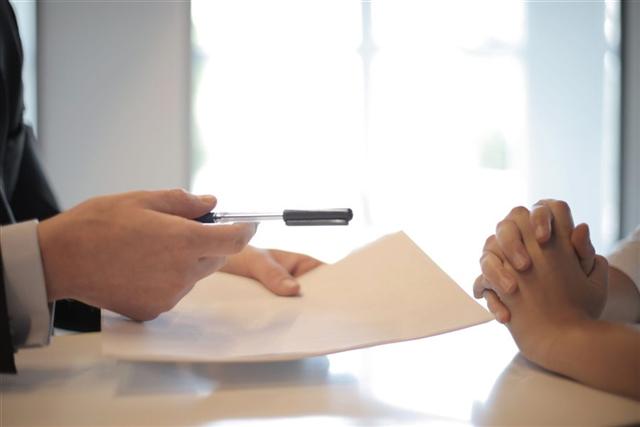
    Send court forms or filing documents when the relevant court or office provides a fax number and accepts documents through that channel.
  • Legal notices and correspondence

    Send notices, letters and other legal correspondence directly to the recipient’s fax number.
  • Signed documents and authorizations

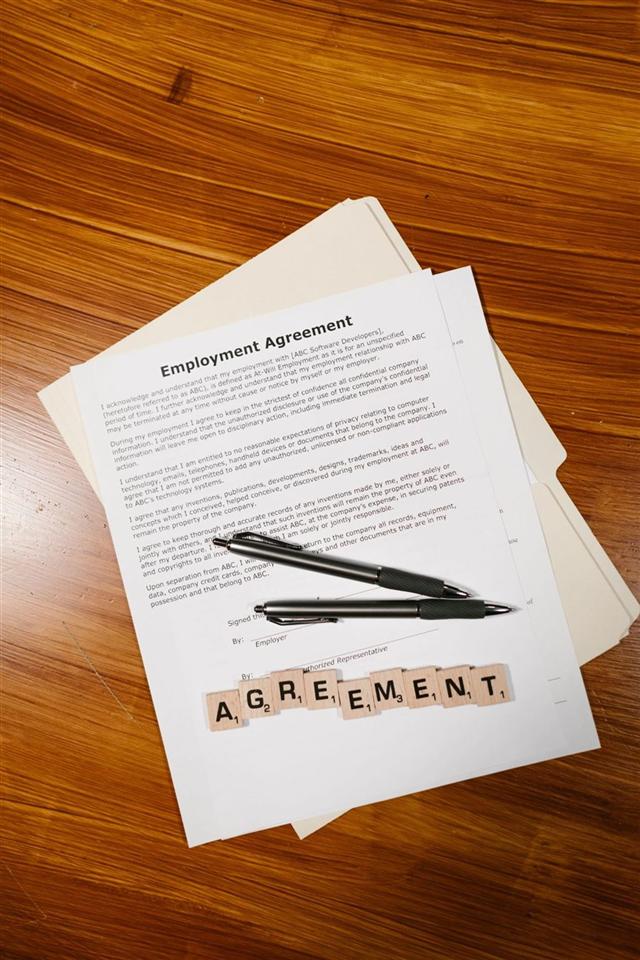
    Fax signed forms, authorizations and supporting documents without printing and rescanning them first.

  • Case documents and supporting records

    Send documents related to a matter or case when another party, organization or professional asks to receive them by fax.
  • Administrative documents

    Handle forms and other administrative paperwork used in the day-to-day work of a law firm or legal department.

How to send a legal fax online

Sending a legal fax with Faxer takes three steps.

  1. 01

    Upload your document

    Upload the PDF, Word file, image or other supported document you need to send. You can also add a cover page when needed.

  2. 02

    Enter the recipient’s fax number

    Add the fax number supplied by the court, client, agency, insurer, law firm or other recipient.

    For sensitive or time-sensitive documents, check the fax number carefully before sending.

  3. 03

    Send and check delivery

    Send the fax and follow its delivery status from your Faxer account. Your fax history also lets you return to previous transmissions when needed.

How to send a fax online

Send and track legal faxes online

Legal documents can be time-sensitive. Once a file has been sent, knowing its transmission status helps you decide whether any follow-up is needed.

Faxer provides a delivery status for each fax. Your account also keeps a history of previous transmissions so you can review what was sent and its status.

This gives legal professionals a clearer digital workflow than sending a document through a standalone machine and leaving the transmission disconnected from the rest of their work.

Secure online fax for law firms of any size

Different legal practices use fax in different ways. Some professionals only need it occasionally, while others work with recipients that request documents by fax on a regular basis.

Faxer provides an online fax for law firms that lets users send documents from web or mobile without maintaining a physical fax machine.

Learn about Faxer fax security
  • Solo attorneys

    Send a contract, notice, signed document or form directly from your computer or phone when a recipient requests a fax.

  • Small law firms

    Keep recurring outbound fax tasks digital and check delivery status without maintaining a dedicated machine or fax phone line.

  • Larger legal teams

    Send documents through the same online workflow when individual users need to reach courts, clients, agencies or other fax-based recipients.

  • Paralegals and legal assistants

    Handle document transmission from the device where the file is already stored and review previous sends from fax history.

  • In-house legal professionals

    Send documents to external organizations that still provide fax as a required or preferred transmission channel.

Working away from the office?

Faxer works on web and mobile, so a document does not have to be sent from the same physical location as an office fax machine.

Why use online fax instead of a fax machine?

A physical fax workflow usually means printing a document, using dedicated hardware and maintaining a fax phone line. An online workflow lets you send the digital file directly.

  • No fax machine needed

    Upload the document you already have instead of printing it just to fax it.

  • No dedicated phone line

    Faxer sends documents online, so you do not need to install or maintain a separate fax line.

  • Delivery confirmation

    Check the delivery status of every fax after it has been sent.

  • Fax history

    Return to your account to review previous transmissions and their status.

  • Web and mobile access

    Send documents from your computer or phone depending on where the file is stored and where you are working.

  • Add a cover page

    Add a cover page when your legal fax needs introductory information for the recipient.

Receive legal faxes too

Some legal workflows require documents to move in both directions.

With Faxer, you can also get a fax number and receive incoming faxes in your account instead of relying on a physical machine.

Give the number to a client, court, agency, insurer or other organization and manage the faxes they send you online.

Learn about receiving faxes

Send legal faxes from your computer or phone

You do not need to be next to an office fax machine to send a legal document.

Faxer works on web and mobile, so you can send the file from the device where you already have access to it. The recipient continues to receive the document at their existing fax number and does not need a Faxer account.

This can be useful when working remotely, traveling between offices or simply handling a fax request away from a shared machine.

How to fax from your phoneHow to fax from a computer
İndirinApp StoreEdinin
Rated 5 out of 5

#1 Rated Faxing App for Legal Professionals

50K+ 5 star ratings on the App Store and Google Play.

Rated 5 out of 5App Store
“I needed to send signed documents to an attorney before a deadline and had no access to a fax machine. I uploaded the files with Faxer and got a delivery confirmation within minutes.”
Rated 5 out of 5
“Our law office still receives requests from courts and insurance companies by fax. Faxer makes it easy to send contracts, forms, and supporting documents directly from my laptop without using the office fax machine.”
Rated 5 out of 5
“I had to fax several legal documents for a case and wanted proof they had been delivered. Faxer let me send everything from my phone and gave me confirmation right away.”

Frequently asked questions

A legal fax service lets lawyers, law firms and other legal professionals send documents to fax numbers without using a traditional fax machine. With Faxer, you upload the document, enter the recipient’s fax number and send it online.

Yes. When a recipient provides a fax number and accepts documents by fax, lawyers can upload a digital file and send it to that number using an online fax service.

You can use Faxer to send documents such as contracts, agreements, legal notices, signed forms, correspondence, court documents and supporting records when the recipient accepts them by fax.

It depends on the rules and submission methods accepted by the specific court or office. If the recipient confirms that documents can be submitted to a particular fax number, Faxer can be used to send the file to that number.

Always check the applicable filing requirements before sending.

Faxer works on web and mobile, so lawyers and other legal professionals can send documents without being next to a physical fax machine.

No. You send the document directly to the recipient’s fax number, so they do not need a Faxer account to receive it.

Faxer provides a delivery status for each fax. You can check the transmission status from your account after sending.

No. Faxer sends faxes online, so you do not need a physical fax machine or a dedicated fax phone line.

Yes. Faxer is available on mobile, allowing you to send documents from your phone when the file is available there.

Yes. Faxer also lets you get a fax number for receiving incoming faxes online.

Learn how to receive faxes.

Legal documents can contain confidential or sensitive information. Before sending those documents, review the security and data-handling information applicable to Faxer and make sure the workflow meets your organization’s requirements.


Learn about Faxer security.

Ready to Send Your Legal Fax Online?

Upload your contract, form, notice or other legal document and send it to a fax number without using a physical fax machine or dedicated phone line.

Delivery status · Fax history · Web and mobile

Faxer

Faxer is an online fax service for sending documents to 40+ countries from any browser. No fax machine needed.

Features

Receive FaxesInternational FaxFax From HomeFax From a ComputerFax From Your PhoneFax Cover Sheet

Solutions

Healthcare FaxLegal FaxReal Estate FaxFinance Fax

Security

HIPAA FaxFax Security

Resources

How to FaxPricing

Company

Legal

Privacy and Cookie PolicyTerms of Service

© 2026 PRIMEXPATH TECHNOLOGIES LLC - All rights reserved